On this page
- Where an encoder fits in an IPTV workflow
- What the encoder actually does
- Codecs: H.264, HEVC and beyond
- Transport protocols
- Hardware vs software encoders
- What changes for a 4K IPTV encoder
- Bitrate, latency and quality trade-offs
- A worked sizing example
- Content rights and HDCP
- Choosing an IPTV encoder: checklist
- Encoders vs consumer IPTV subscriptions
- Summary
An IPTV encoder is a device or piece of software that takes a video source — a camera, a media player, a satellite receiver's output or a computer — compresses it with a codec such as H.264 or HEVC, and packages it as a stream that can be sent over an IP network to TVs, set-top boxes and apps. Encoders sit on the distribution side of IPTV. Hotels, campuses, stadiums, broadcasters and businesses use them to create their own channels; viewers at home do not need one.
This guide explains where encoders fit in an IPTV workflow, the formats and transport protocols they use, what changes for a 4K IPTV encoder, and how to choose between hardware and software encoding.
Where an encoder fits in an IPTV workflow
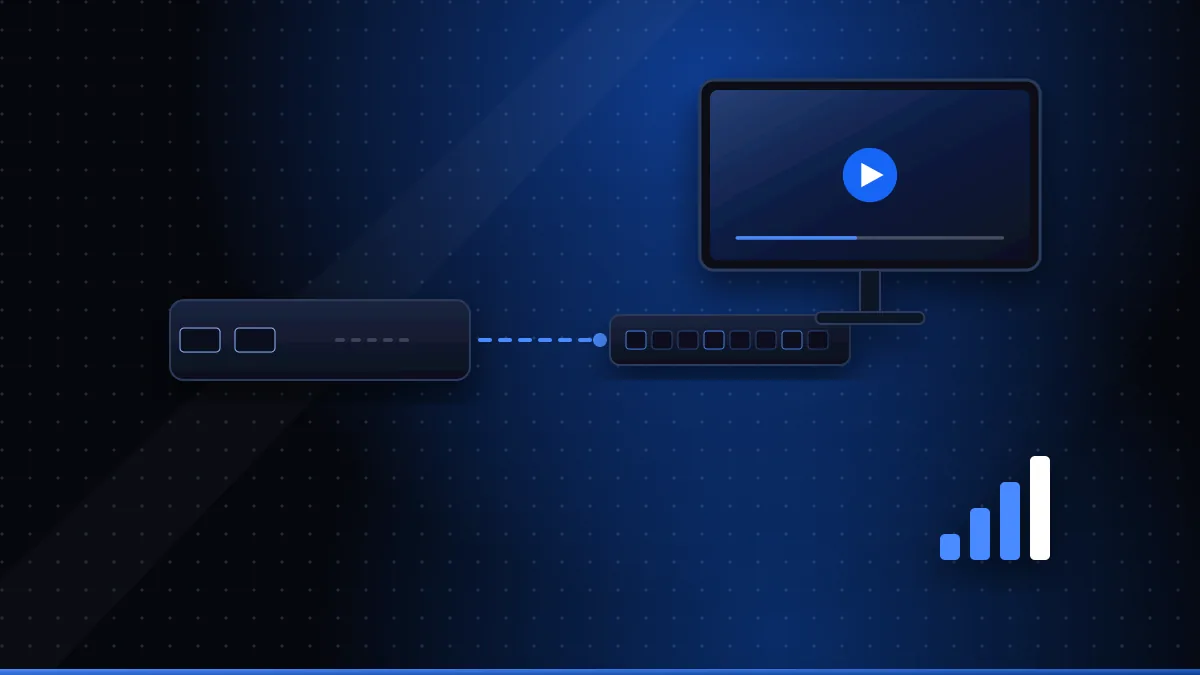
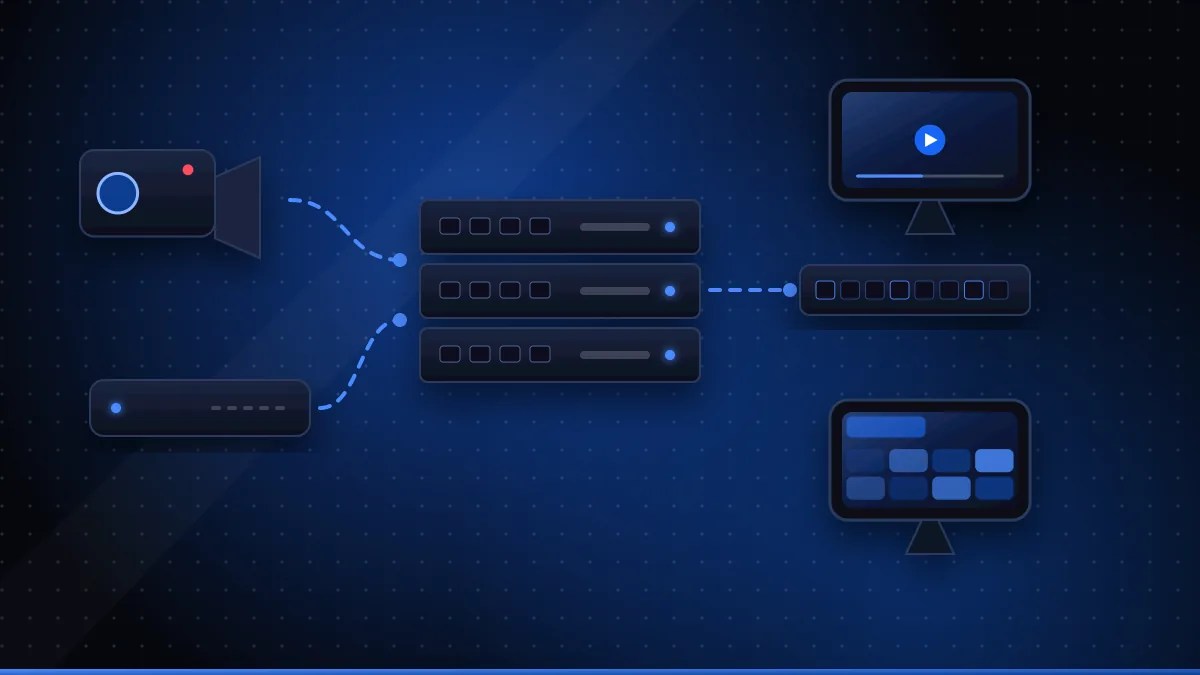
A typical private IPTV system has five stages:
- Source. A live camera, presentation PC, Blu-ray or media player, or a licensed TV feed.
- Encoder. Converts the video into a compressed digital stream.
- Transport. Sends the stream across the network using a protocol suited to the job (multicast on a local network, or unicast over the internet).
- Distribution and management. Optional middleware that builds a channel list and programme guide, controls access and sometimes records.
- Playback. TVs with IPTV apps, set-top boxes, computers or phones decode and display the stream.
For a definition of the general concept, see video encoder (opens in a new tab). Consumer IPTV subscriptions use the same building blocks on a much larger scale, which is why understanding encoders also helps explain why some streams look better than others.
What the encoder actually does
Inside, an encoder performs several jobs:
- Captures the input signal (HDMI, SDI, or a file or network stream).
- Scales and converts resolution and frame rate if needed.
- Compresses video and audio using codecs.
- Packages the result into a container suitable for the transport protocol.
- Outputs one or more streams, often at different bitrates for different devices.
The settings chosen here — codec, bitrate, resolution, keyframe interval — decide the picture quality viewers see and the bandwidth the network must carry.
Codecs: H.264, HEVC and beyond
| Codec | Strength | Consideration |
|---|---|---|
| H.264 / AVC | Plays on almost every device | Needs more bitrate than newer codecs for the same quality |
| HEVC / H.265 | Roughly half the bitrate of H.264 for similar quality | Older devices may lack hardware decoding |
| Newer codecs (e.g. AV1) | Further efficiency gains | Decoder support on TVs and boxes varies widely |
H.264 remains the safe default for mixed device fleets (AVC on Wikipedia (opens in a new tab)). HEVC's efficiency makes it the usual choice for 4K (HEVC on Wikipedia (opens in a new tab)). The right answer depends on what your receiving devices can decode in hardware.
Transport protocols
Encoders typically offer several ways to send streams:
- UDP multicast / RTP — efficient for local networks, because one stream is delivered to many receivers without duplicating traffic. RTP is defined in RFC 3550 (opens in a new tab); multicast relies on network switches and routers that handle IGMP correctly (RFC 3376 (opens in a new tab)).
- HLS — HTTP-based adaptive streaming that works through firewalls and on most apps and browsers (RFC 8216 (opens in a new tab)); it adds some latency.
- RTMP — widely used to push streams to online platforms.
- SRT — designed for reliable, low-latency delivery over unpredictable networks such as the internet (Wikipedia (opens in a new tab)).
Many installations use more than one: multicast inside a building, plus HLS or SRT for remote viewers.
Hardware vs software encoders
| Hardware encoder | Software encoder | |
|---|---|---|
| Form factor | Dedicated box or rack unit | Application on a PC or server |
| Reliability | Designed for 24/7 operation | Depends on the computer and OS |
| Flexibility | Fixed feature set, firmware updates | Highly configurable |
| Cost model | Upfront hardware cost | Software licence and computer cost |
| Examples of use | Hotels, venues, permanent channels | Events, testing, cloud workflows |
Open-source tools such as FFmpeg (opens in a new tab) can encode and stream in software, which is useful for testing and smaller deployments. Permanent channels that must run unattended usually justify dedicated hardware.
What changes for a 4K IPTV encoder
A 4K IPTV encoder needs more of everything:
- Inputs that accept 4K at the frame rate you need (for example HDMI 2.0 or 12G-SDI).
- HEVC encoding to keep bitrates manageable; 4K in H.264 needs considerably more bandwidth.
- 10-bit support if you want HDR, plus correct HDR metadata handling.
- Network capacity for the higher bitrates, especially with many channels on one network.
- Receivers that can decode 4K HEVC in hardware — otherwise viewers will see stuttering or nothing at all.
Our 4K IPTV guide explains the viewer side of the same requirements.
Bitrate, latency and quality trade-offs
Every encoder setting involves a trade-off:
- Higher bitrate improves detail, especially in sport and fast motion, but uses more bandwidth.
- Shorter keyframe intervals make channel changes faster and help recovery from errors, at the cost of efficiency.
- Low-latency modes reduce delay but give the encoder less time to optimise quality.
- Multiple renditions (several bitrates) let players adapt to weaker connections but multiply processing load.
Start from the receiving devices and network, then set the encoder to suit them — not the other way round.
A worked sizing example
Bandwidth planning is simple arithmetic, which makes it easy to check before buying. Suppose a small hotel wants 20 in-house and licensed channels in 1080p, each encoded in H.264 at an illustrative 6 Mbps. Sent as multicast, the core network carries about 20 × 6 = 120 Mbps regardless of how many rooms are watching, because each channel travels once and switches copy it only to ports that ask for it. Encoding the same channels in HEVC at around half the bitrate would cut that to roughly 60 Mbps — but only if every room TV or set-top box can decode HEVC. Sent as unicast instead, every viewer would need a separate copy, so 100 rooms watching would mean up to 600 Mbps. Real bitrates depend on content and settings, so test with your own sources; the point is that codec choice and multicast design matter more than raw encoder specifications.
Content rights and HDCP
Encoders are tools for content you own or are licensed to distribute. Many commercial sources protect their HDMI output with HDCP (High-bandwidth Digital Content Protection) (Wikipedia (opens in a new tab)); compliant encoders will not capture such signals. Redistributing TV channels in a hotel or venue also normally requires specific commercial licences from the broadcasters or rights holders, separate from any home subscription.
Choosing an IPTV encoder: checklist
- How many channels do you need now and in two years?
- Which inputs do your sources use (HDMI, SDI, network)?
- Which codecs can every receiving device decode?
- Which transport protocols does your network or platform require?
- Do you need 4K, HDR or high frame rates?
- How will you manage and monitor encoders remotely?
- What redundancy is needed for channels that must not go down?
- Are licences in place for every source you plan to distribute?
For the specific case of HDMI sources, see our companion guide to HDMI encoders for IPTV.
Encoders vs consumer IPTV subscriptions
It's worth being clear about the difference. An encoder lets an organisation create streams from its own sources. A consumer IPTV subscription — such as the plans described on our pricing page — gives a viewer access to a provider's streams through a player app. If you simply want to watch TV over the internet, you need a compatible device and a service, not an encoder; start with what IPTV is.
Summary
An IPTV encoder converts video sources into compressed IP streams. Choosing one means matching inputs to your sources, codecs to your receivers (H.264 for compatibility, HEVC for 4K efficiency), protocols to your network (multicast locally, HLS or SRT further afield) and capacity to your channel count. Plan bitrate and latency together, respect HDCP and content licensing, and remember that encoders are distribution equipment — viewers at home don't need one.
Frequently asked questions
Do I need an IPTV encoder to watch IPTV?
No. Encoders are used by whoever creates and distributes streams — broadcasters, hotels, venues, businesses. Viewers only need a player and a service.
What codec should an IPTV encoder use?
H.264 offers the widest compatibility. HEVC (H.265) delivers similar quality at roughly half the bitrate and is the usual choice for 4K, provided the receiving devices can decode it.
Can an IPTV encoder capture any HDMI source?
Not if the source applies HDCP copy protection, which most commercial streaming devices and many players do. Encoders are for content you own or are licensed to distribute.
Questions about XCode IPTV 8K?
Compare subscription plans, try the free 24-hour trial, or read the installation guide.
Need help? WhatsApp +44 7446 191096 or Telegram @Xtreamtech